
Take OpenText Forms Anywhere, Even Offline

Give field teams access to Content Server forms, documents and supporting information on phones and tablets. Capture data offline and sync it back when connectivity returns.

Replace paper forms
in the field

Keep working without a connection

Sync data back to Content Server

Field work doesn't stop when the network does

Yet teams often rely on paper, PDFs and manual notes when they're away from the office. Information must then be scanned, or re-entered before anyone can act on it.

The Solution: GCI PowerTools Mobile

Capture information where the work happens!
  • GCI PowerTools Mobile extends OpenText forms and documents to mobile devices.
  • Mobile forms - Access and complete Content Server forms directly from smartphones and tablets.
  • Online and offline access – Work with forms and supporting documents, whether connected or offline.
  • Multiple offline copies - Complete multiple forms for inspections, site visits, field operations, or assets management.
  • Offline reference data - Access configured lookup values and reference data without an internet connection.
  • Automatic synchronisation - Send completed forms back to Content Server when connectivity returns.
  • Signatures and field data - Capture signatures and other information on site.
  • Connected processes - Use submitted data in OpenText workflows.

global-cents-logo-2


Since 2005, Global Cents has equipped Fortune 1,000 companies with Enterprise Content Management Solutions, extending and enhancing OpenText Content Server/xECM platforms to improve automation, usability, and performance.


MS Partner-1


OT SolEx Partner Platinum Wordmark

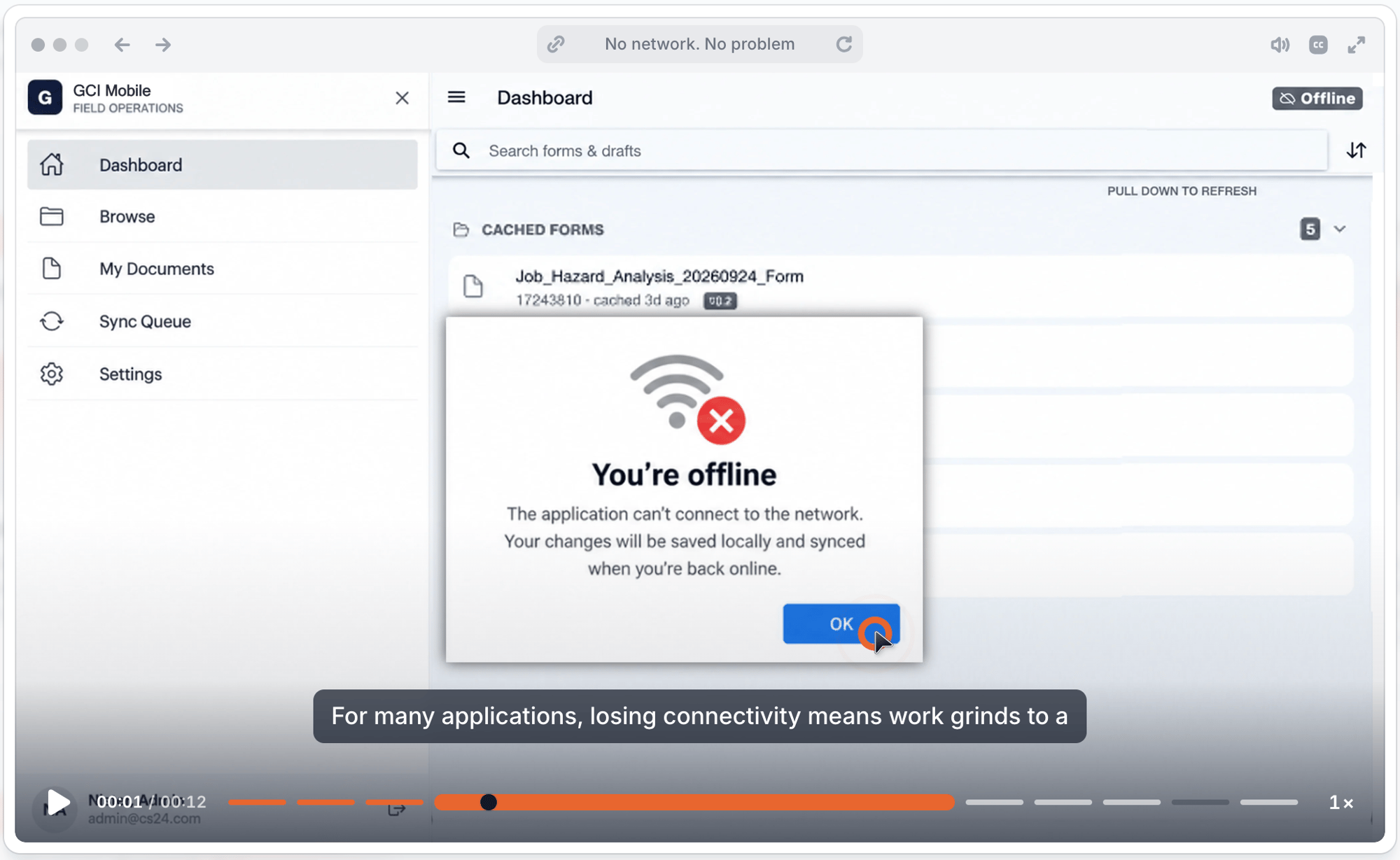
Complete an inspection in the field and offline. Sync the finished form when you reconnect. 

EXAMPLE FIELD SCENARIO
You are offline

Bring your OpenText processes into the field

Capture data remotely

Complete forms where the work happens, using a phone or tablet.

Keep working offline

Use downloaded forms and reference data when connectivity is unavailable.

Bring the data back

Synchronise completed work with Content Server for the next step.

From field capture to Content Server, without the paper hand-off

Remote users can complete work online or offline, returning the captured information to the same OpenText environment where it can be reviewed and used in downstream processes.

Replace Paper Forms in the Field

See how a field worker completes a Content Server form on a tablet instead of a paper clipboard.

.

No Network, No Problem

See how work continues offline and completed forms are synchronised when connectivity returns.

.

Act on the Captured Data

See how submitted field information can feed the next step in a configured OpenText workflow.

.